Project [03]

The Juniper User Interface in web apps
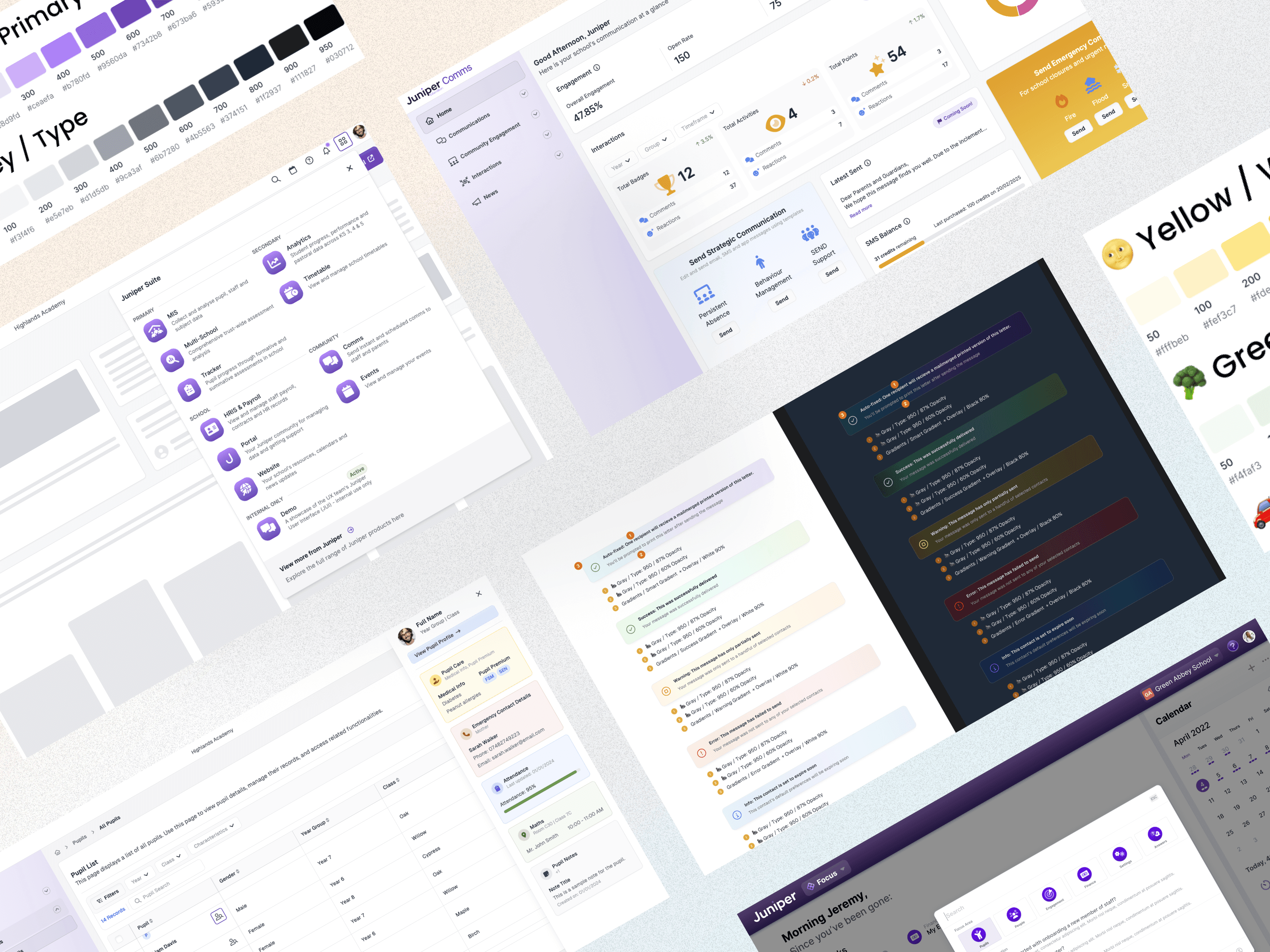
Layout of various web app designs including app switcher and alert components

Designing a consistent UI across the product suite

Creating a seamless way for teachers to switch apps, search and access support without confusion

Project Overview

Over the past 18 months, I led the unification of a diverse product suite built on different tech stacks. To create a seamless experience, I developed the concept of an “Omnibar” – a universal navigation bar allowing users to switch between apps, access support and use an advanced Command Palette to search and act across all products. This involved solving complex UX and technical challenges, ensuring consistency and clarity across multiple products.

Problem Statement

The product suite was built on different technology stacks, resulting in inconsistent user experiences.

  • Navigating between apps created confusion – some opened in new tabs too quickly without clear indicators.

  • Search functionality was limited to single apps; there was no unified way to search across all products, tasks, or pupil information.

  • Support links weren’t always clear or contextual to the app the user was currently in.

Project

Web Design & Prototyping

My Role

Lead Designer

Platforms

Desktop and Android

Platforms

Desktop and Android

"It not only helped potential customers better understand the value of our product suite, but also gave colleagues a clearer, more tangible sense of how [campaign] brings our portfolio together."

Persona

James

Teacher

James is a teacher who uses multiple apps within the product suite to manage her classroom, track student progress and communicate with parents. He needs a consistent and intuitive way to switch between apps, find information quickly and access support without confusion or wasted time.

Age: 32

Tech Proficiency: Moderate

Goals

Seamlessly switch between apps without losing track of where he is.

Limited, siloed search that doesn’t allow him to act across multiple apps or find pupil information quickly.

Difficulty finding the right support resources linked to the app he's currently using.

Frustrations

Being unsure whether he’s still in the same app or has moved to another one.

Limited, siloed search that doesn’t allow him to act across multiple apps or find pupil information quickly.

Difficulty finding the right support resources linked to the app he's currently using.

Process

[01] User Research

Teachers said they frequently lost their sense of place when switching between apps.

Many expected search to be global and were frustrated when it only returned app-specific results.

Users wanted a faster way to jump to tasks, pages, and pupil information without deep navigation.

[01] User Research

Teachers said they frequently lost their sense of place when switching between apps.

Many expected search to be global and were frustrated when it only returned app-specific results.

Users wanted a faster way to jump to tasks, pages, and pupil information without deep navigation.

[01] User Research

Teachers said they frequently lost their sense of place when switching between apps.

Many expected search to be global and were frustrated when it only returned app-specific results.

Users wanted a faster way to jump to tasks, pages, and pupil information without deep navigation.

[02] Insights

App switching must give clear feedback and maintain orientation to avoid disorientation.

Users are already familiar with Command Palette patterns from tools like Spotlight or VSCode – a universal search/action bar can drastically improve efficiency.

Support links should be contextually tied to the app the user is in, ensuring relevance and reducing frustration.

[02] Insights

App switching must give clear feedback and maintain orientation to avoid disorientation.

Users are already familiar with Command Palette patterns from tools like Spotlight or VSCode – a universal search/action bar can drastically improve efficiency.

Support links should be contextually tied to the app the user is in, ensuring relevance and reducing frustration.

[02] Insights

App switching must give clear feedback and maintain orientation to avoid disorientation.

Users are already familiar with Command Palette patterns from tools like Spotlight or VSCode – a universal search/action bar can drastically improve efficiency.

Support links should be contextually tied to the app the user is in, ensuring relevance and reducing frustration.

[03] Design Solution

Omnibar navigation: built a universal bar with a clearly labelled app switcher; added a brief loader animation when switching apps so users can perceive the transition.

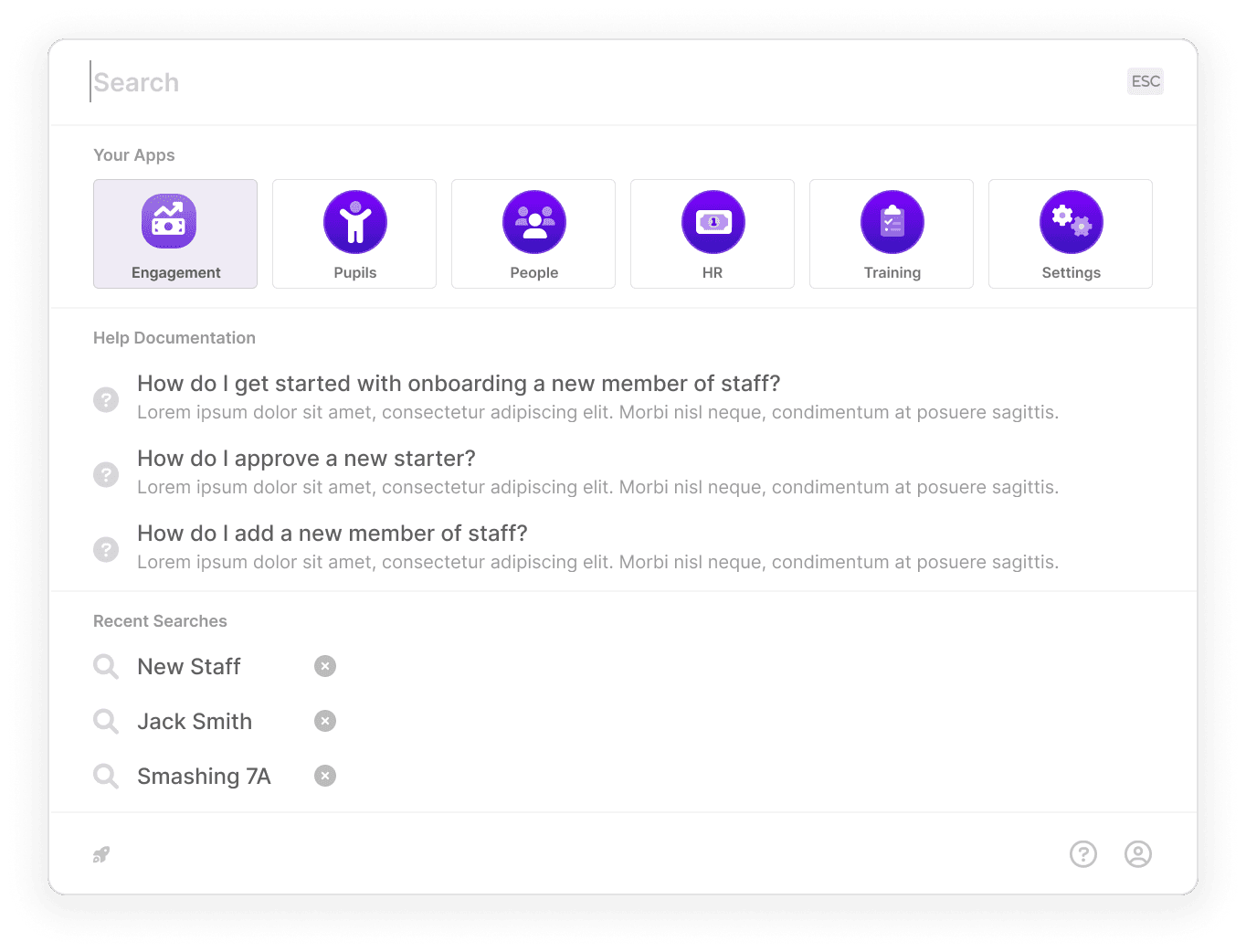
Command palette concept: designed an advanced search/action feature allowing users to: Search across all products they have access to. Jump to pages or tasks. Browse recent searches. Search for a pupil’s profile or contact details instantly.

Contextual support: linked the “Support” button directly to the relevant Zendesk product area based on the current app.

[03] Design Solution

Omnibar navigation: built a universal bar with a clearly labelled app switcher; added a brief loader animation when switching apps so users can perceive the transition.

Command palette concept: designed an advanced search/action feature allowing users to: Search across all products they have access to. Jump to pages or tasks. Browse recent searches. Search for a pupil’s profile or contact details instantly.

Contextual support: linked the “Support” button directly to the relevant Zendesk product area based on the current app.

[03] Design Solution

Omnibar navigation: built a universal bar with a clearly labelled app switcher; added a brief loader animation when switching apps so users can perceive the transition.

Command palette concept: designed an advanced search/action feature allowing users to: Search across all products they have access to. Jump to pages or tasks. Browse recent searches. Search for a pupil’s profile or contact details instantly.

Contextual support: linked the “Support” button directly to the relevant Zendesk product area based on the current app.

[04] Testing & Iteration

App switching: tested the loader pause with teachers; refined timing and added a cancel option to give them control.

Command palette prototype: conducted early testing on search scope, recent searches, and pupil search to ensure it met teacher workflows; refined labels and grouping to improve clarity.

Support links: validated with users that support resources matched their expectations and refined copy/labels accordingly.

[04] Testing & Iteration

App switching: tested the loader pause with teachers; refined timing and added a cancel option to give them control.

Command palette prototype: conducted early testing on search scope, recent searches, and pupil search to ensure it met teacher workflows; refined labels and grouping to improve clarity.

Support links: validated with users that support resources matched their expectations and refined copy/labels accordingly.

[04] Testing & Iteration

App switching: tested the loader pause with teachers; refined timing and added a cancel option to give them control.

Command palette prototype: conducted early testing on search scope, recent searches, and pupil search to ensure it met teacher workflows; refined labels and grouping to improve clarity.

Support links: validated with users that support resources matched their expectations and refined copy/labels accordingly.

Sketch of command palette concept
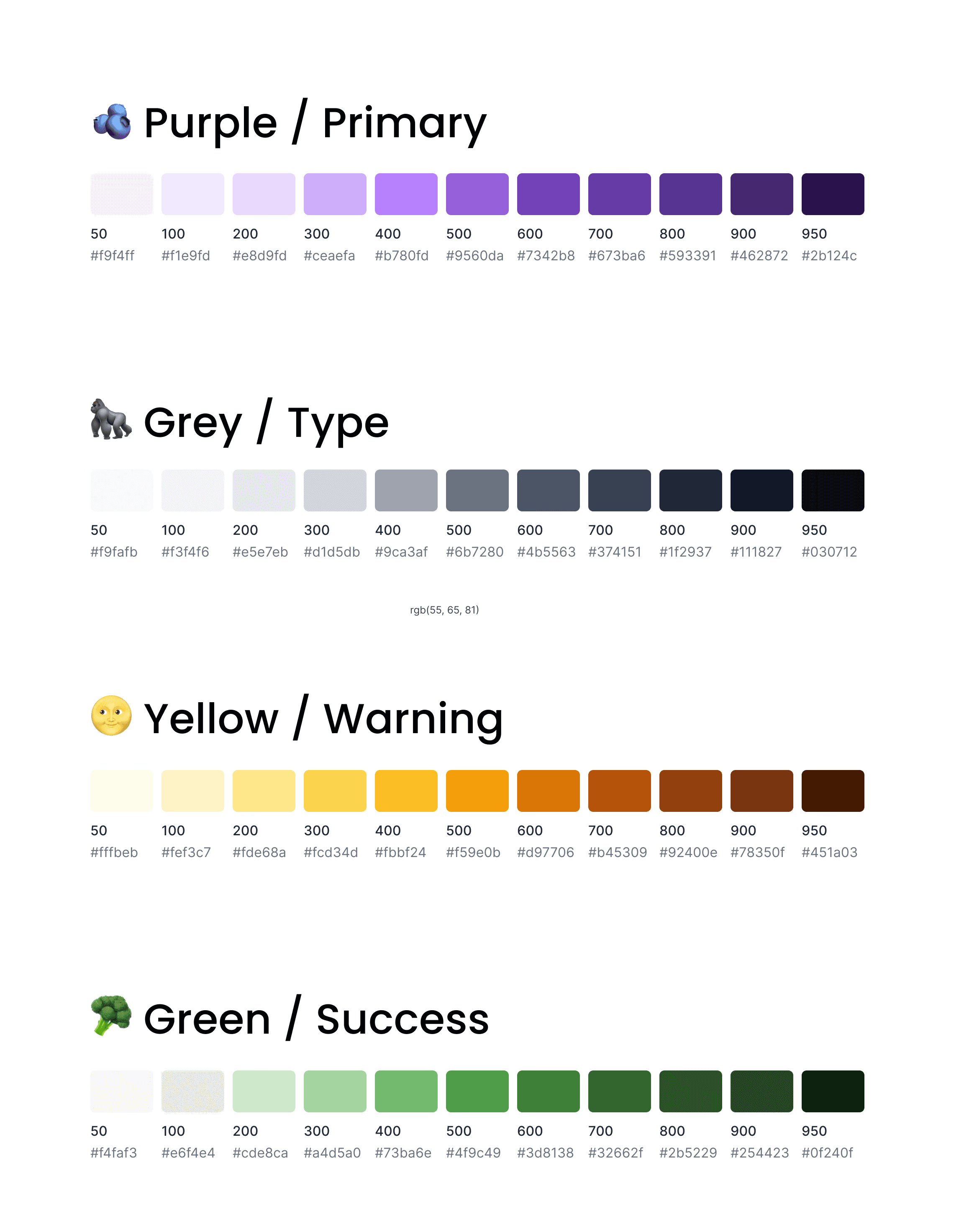
A selection of colours from the palette
Light and dark mode design for profile dropdown
Design for the super search command palette concept

Outcomes

A unified navigation experience across a multi-tech-stack product suite.
Teachers could search, act and navigate faster across all products using the Command Palette concept.
Reduced confusion about where users were in the system, leading to fewer support tickets and higher confidence.

Key Learnings

Transitional cues matter

Even tiny UI moments (like loaders) help users stay oriented during context switches.

Transitional cues matter

Even tiny UI moments (like loaders) help users stay oriented during context switches.

Transitional cues matter

Even tiny UI moments (like loaders) help users stay oriented during context switches.

Advanced users love Command Palettes

Bringing a familiar global search-and-action pattern to education apps drastically improves efficiency and satisfaction.

Advanced users love Command Palettes

Bringing a familiar global search-and-action pattern to education apps drastically improves efficiency and satisfaction.

Advanced users love Command Palettes

Bringing a familiar global search-and-action pattern to education apps drastically improves efficiency and satisfaction.

Design for consistency across systems

Unifying disparate tech stacks with consistent UX patterns (like Omnibar + Command Palette) creates a seamless experience for all users.

Design for consistency across systems

Unifying disparate tech stacks with consistent UX patterns (like Omnibar + Command Palette) creates a seamless experience for all users.

Design for consistency across systems

Unifying disparate tech stacks with consistent UX patterns (like Omnibar + Command Palette) creates a seamless experience for all users.

Select this text to see the highlight effect